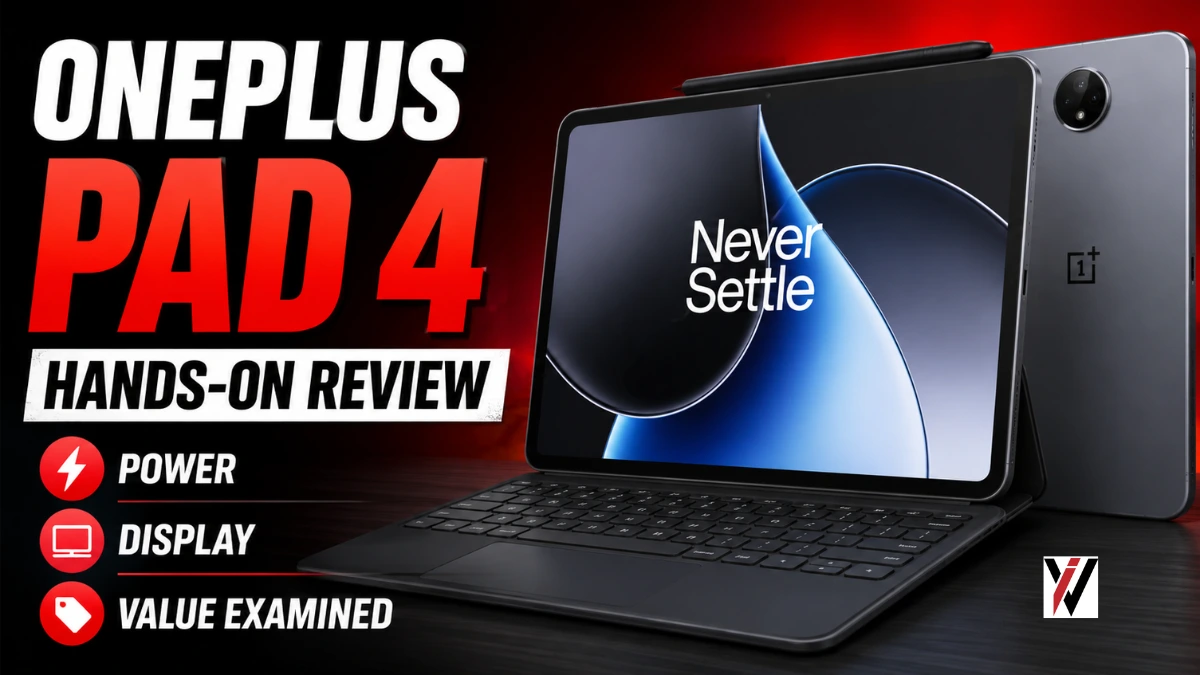
The tablet market has undergone a remarkable transformation in recent years. No longer viewed merely as oversized screens for media consumption, modern tablets have evolved into legitimate productivity tools for students, professionals, and creatives alike. Recognizing this shifting landscape, OnePlus has unveiled its latest offering—the OnePlus Pad 4—positioned as a device that aims to bridge the gap between casual entertainment and serious work.
On paper, the specifications paint an impressive picture: a flagship processor, expansive battery, high-refresh-rate display, and premium design language. But the critical question remains: does the OnePlus Pad 4 deliver an equally compelling real-world experience? Let’s explore what this device brings to the table and whether it can truly challenge the established players in the premium tablet segment .
Design and Build Quality: Premium First Impressions
The OnePlus Pad 4 makes an immediate statement with its build quality. The moment you hold it, the premium metal unibody construction becomes apparent, offering a reassuring combination of durability and sophistication. Despite its slim profile, the tablet feels robust and well-engineered—a device clearly designed to withstand daily use .
Remarkable Thinness:
At just 5.94mm thick, the Pad 4 is impressively slender—thinner than a standard pencil—while maintaining structural integrity. This slim profile, combined with thoughtful weight distribution, makes extended usage sessions comfortable despite the tablet’s substantial size .
Available Color Options:
OnePlus offers the Pad 4 in two sophisticated finishes:
-
Dune Glow: A warm, sandy hue with subtle character
-
Sage Mist: A cool, understated green tone
The minimalist design philosophy extends to the button placement, which adapts intelligently based on orientation. The power button shifts position depending on whether you’re holding the tablet in landscape or portrait mode, creating an intuitive experience after brief familiarization .
Display: A Visual Feast
The display stands as one of the Pad 4’s most compelling features. The 13.2-inch panel delivers 3.4K resolution with a 7:5 aspect ratio, providing an expansive canvas that feels equally natural for productivity tasks and media consumption .
Key Display Specifications:
-
Resolution: 3.4K (3392 x 2400 pixels)
-
Refresh Rate: 144Hz adaptive (default 120Hz)
-
Pixel Density: 315 PPI
-
Brightness: Up to 1000 nits HBM
-
Color Depth: 12-bit with 98% DCI-P3 coverage
-
Color Accuracy: ΔE ≈ 0.7
The 7:5 aspect ratio deserves particular mention. Unlike traditional widescreen tablets, this taller format provides additional vertical space—a significant advantage for reading documents, taking notes, and multitasking with split-screen applications .
Real-World Display Experience:
Scrolling feels exceptionally fluid thanks to the high refresh rate, text appears razor-sharp, and colors are vibrant without appearing oversaturated. The brightness levels are sufficient for indoor use and manageable outdoors, though the LCD panel does have inherent limitations .
Display Considerations:
While the panel offers excellent performance, it’s important to note that it uses LCD technology rather than OLED. Consequently, black levels aren’t as deep, and contrast ratios can’t match premium OLED displays. Some streaming platforms also face HDR limitations, which feels like a missed opportunity given the display’s quality .
Audio Experience: Immersive Sound
A great display demands equally impressive audio, and the OnePlus Pad 4 delivers. The eight-speaker setup—comprising four woofers and four tweeters—produces rich, well-balanced sound that can easily fill a room .
Audio Highlights:
-
Loud and Clear: Dialogue remains crisp even during action sequences
-
Good Separation: Vocals and background elements maintain distinct presence
-
Orientation-Aware: Audio adjusts based on how you hold the tablet
-
Dolby Atmos Support: Enhances spatial audio experience
For media consumption, this speaker configuration makes the Pad 4 genuinely enjoyable without requiring headphones. Whether you’re watching movies, gaming, or listening to music, the audio experience ranks among the best in the Android tablet segment .
Performance: Where the Pad 4 Shines
The OnePlus Pad 4’s greatest strength lies in its performance capabilities. Powered by Qualcomm’s flagship Snapdragon 8 Elite Gen 5 chipset, the tablet handles virtually everything with effortless grace.
Processor Specifications:
-
CPU: Snapdragon 8 Elite Gen 5 with Oryon architecture
-
Clock Speed: Up to 4.6 GHz
-
GPU: Adreno 840
-
RAM Options: 8GB or 12GB LPDDR5X
-
Storage: 256GB or 512GB UFS 4.1
Everyday Performance:
Apps launch instantly, multitasking remains butter-smooth, and the interface responds with zero perceptible lag. The tablet handles everything from document editing to graphic-intensive games without breaking a sweat .
Gaming Capabilities:
Titles like BGMI, Call of Duty Mobile, and Genshin Impact run smoothly at high graphics settings. The Cryo-velocity cooling system—featuring a 40,760mm² vapor chamber—effectively manages temperatures, ensuring consistent performance during extended gaming sessions without uncomfortable heating .
Benchmark Performance:
The AnTuTu score of approximately 3.6 million reflects a roughly 42% performance improvement over its predecessor, the Pad 3 . While benchmark numbers don’t tell the full story, they confirm the tablet’s position among the most powerful Android devices available .
Battery Life: Endurance That Impresses
The 13,380mAh battery represents another standout feature, delivering exceptional longevity that makes the Pad 4 a reliable companion for travel and extended use.
Real-World Battery Performance:
-
Video Playback: Up to 20 hours
-
Mixed Usage: Comfortably lasts a full day (or more)
-
Standby Time: Up to 54 days
-
Gaming: Approximately 7 hours
Charging Capabilities:
80W SuperVOOC fast charging quickly replenishes the battery, minimizing downtime. Combined with the substantial capacity, this means you can use the tablet extensively without constantly planning around charging opportunities .
Standby Impressions:
One reviewer noted that after a four-day trip away from the tablet, the battery dropped only 6%, from 68% to 62%, while remaining connected to Wi-Fi. This exceptional standby performance means you can pick up the tablet after days of inactivity and start using it immediately .
Software Experience: OxygenOS Refined
The OnePlus Pad 4 runs on OxygenOS 16, based on Android 16, delivering a clean, fluid, and productivity-focused interface.
Key Software Features:
| Feature | Benefit |
|---|---|
| Open Canvas | Smooth multitasking with resizable windows and split-screen |
| Live Space | Dynamic, expandable notifications replacing static alerts |
| Multi-Format Support | Separate home screen layouts for portrait and landscape |
| File Management | Multi-column views, drag-and-drop, improved search |
| Cross-Device Sharing | Works with OnePlus, OPPO, Xiaomi, vivo, and even iPhones |
| AI Integration | AI Recorder, AI Painter, AI Summary, AI Translate, AI Writer |
Productivity Focus:
Features like floating windows, drag-and-drop interactions, and support for multiple apps simultaneously make the Pad 4 feel increasingly laptop-like. When paired with the Smart Keyboard, the experience becomes genuinely productive .
Software Support:
OnePlus promises four years of OS updates and six years of security patches, making this a device built for long-term use .
Accessories: Enhancing the Experience
While the tablet performs admirably on its own, the optional accessories significantly expand its capabilities.
Stylo Pro Stylus:
-
16,000 pressure sensitivity levels
-
Two interchangeable tips (writing and sketching)
-
Gesture controls (pinch, double-tap, slide)
-
Low latency for natural writing feel
Smart Keyboard:
-
Full-size 78-key layout
-
1.5mm key travel
-
Magnetic attachment with no pairing required
-
Dedicated AI key for Google Gemini access
-
Full trackpad support
The accessories are available separately, which adds to the overall cost but provides flexibility for users who don’t require them.
Camera: Functional but Forgettable
Most tablet users don’t prioritize camera quality, and OnePlus appears to share this understanding. The rear 13MP camera and front 8MP shooter deliver acceptable results for video calls, online classes, and document scanning, but they won’t replace your smartphone for photography .
Key Advantages and Limitations
Where the Pad 4 Excels
-
Outstanding 3.4K Display with 144Hz refresh rate
-
Snapdragon 8 Elite Gen 5 flagship performance
-
Exceptional Battery Life with fast charging support
-
Premium Build Quality and design
-
Superior Audio Experience with eight speakers
-
Refined Software with productivity features
Where the Pad 4 Falls Short
-
LCD Panel instead of OLED (less deep blacks)
-
Average Camera Performance for the price point
-
No Fingerprint Sensor (face unlock only)
-
No Cellular Option (Wi-Fi only)
-
Accessories Sold Separately increasing overall cost
Who Should Buy the OnePlus Pad 4?
Ideal Users:
-
Students needing a versatile device for notes, research, and media
-
Professionals seeking a portable productivity tool
-
Content consumers who prioritize display and audio quality
-
Gamers wanting a large screen with smooth performance
-
Android users wanting a premium tablet within the ecosystem
Consider Alternatives If:
-
You require a more portable, compact tablet
-
You’re heavily invested in the Apple ecosystem
-
You need cellular connectivity
-
You prioritize OLED display technology
Conclusion
The OnePlus Pad 4 establishes itself as one of the most capable Android tablets available, successfully combining powerful hardware, excellent display technology, impressive battery life, and refined software into a cohesive package.